关于 Ansible 系列其他文章的传送门
-
《 Ansible 介绍和基础操作 》
-
《 Ansible Playbook 以及 Roles 的简单使用方法 》
-
《 使用 Ansible Playbook 通过 yum 部署 LNMP 环境 》 您当前所在位置
-
《 使用 Ansible Roles 快速搭建 Nginx 代理后端的 LAMP 模型 》
-
《 使用 Ansible Playbook自动完成硬盘的分区、格式化、挂载 》
一、准备环境
记录使用 Ansible Playbook 通过 yum 部署 LNMP 的方法
系统:三台 CentOS 7.6.1810
| Hostname |
IP |
| centos_1 |
192.168.50.11 |
| centos_2 |
192.168.50.12 |
| centos_3 |
192.168.50.13 |
- Ansible 版本:ansible 2.8.0
- 全部关闭 selinux
- 全部安装好 epel 源
需要通过剧本来安装的程序有:
- nginx
- php-fpm
- php-mysql
- mariadb-server
二、准备配置文件
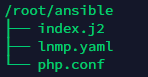
所有 ansible 文件如下图
先贴上 yaml 文件
cat /root/ansible/LNMP.yaml
1
2
3
4
5
6
7
8
9
10
11
12
13
14
15
16
17
18
19
20
21
22
23
24
25
26
27
28
29
30
31
32
33
34
35
36
37
38
39
40
41
42
43
44
45
| - hosts: all
remote_user: root
tasks:
- name: stop firewalld packages
service: name={{ item }} state=stopped enabled=no
loop:
- firewalld
- name: install packages
yum: name={{ item }} state=installed
loop:
- nginx
- php-fpm
- php-mysql
- mariadb-server
- name: make dirctory
file: path=/etc/nginx/default.d state=directory
- name: copy nginx conf
copy: src=/root/ansible/php.conf dest=/etc/nginx/default.d/php.conf
notify: restart nginx
- name: install php index
template: src=/root/ansible/index.j2 dest=/usr/share/nginx/html/index.php
- name: start services
service: name={{ item }} state=started
loop:
- mariadb
- php-fpm
- nginx
- name: set mysql root passwd
command: mysql --execute="UPDATE mysql.user SET Password=PASSWORD('123qwe') WHERE User='root';"
- name: set mysql root host
command: mysql --execute="UPDATE mysql.user SET host='%' WHERE host='localhost';"
- name: set mysql FLUSH
command: mysql --execute="FLUSH PRIVILEGES"
handlers:
- name: restart nginx
service: name=nginx state=restarted
|
由于我在剧本中定义 nginx 安装后,在 /etc/nginx 下创建 default.d 文件夹,将 php 的虚拟主机配置文件拷进去,所以准备好 php.conf
cat /root/ansible/php.conf
1
2
3
4
5
6
7
| location ~ \.php$ {
root /usr/share/nginx/html;
fastcgi_pass 127.0.0.1:9000;
fastcgi_index index.php;
fastcgi_param SCRIPT_FILENAME $document_root$fastcgi_script_name;
include fastcgi_params;
}
|
然后准备好 php 的主页测试文件,加入了判断语句,如果数据库能正常连接就提示 “主机名 + 正常连接”,主机名通过 setup 模块获得 ansible_hostname,使用 template 模块写入模板文件 index.j2
cat /root/ansible/index.j2:
1
2
3
4
5
6
7
8
9
10
11
12
13
14
| <?php
$servername = "localhost";
$username = "root";
$password = "123qwe";
$conn = new mysqli($servername, $username, $password);
if ($conn->connect_error) {
die("{{ ansible_hostname }} 连接失败: " . $conn->connect_error);
}
echo "{{ ansible_hostname }} 连接成功";
?>
|
三、执行 Playbook
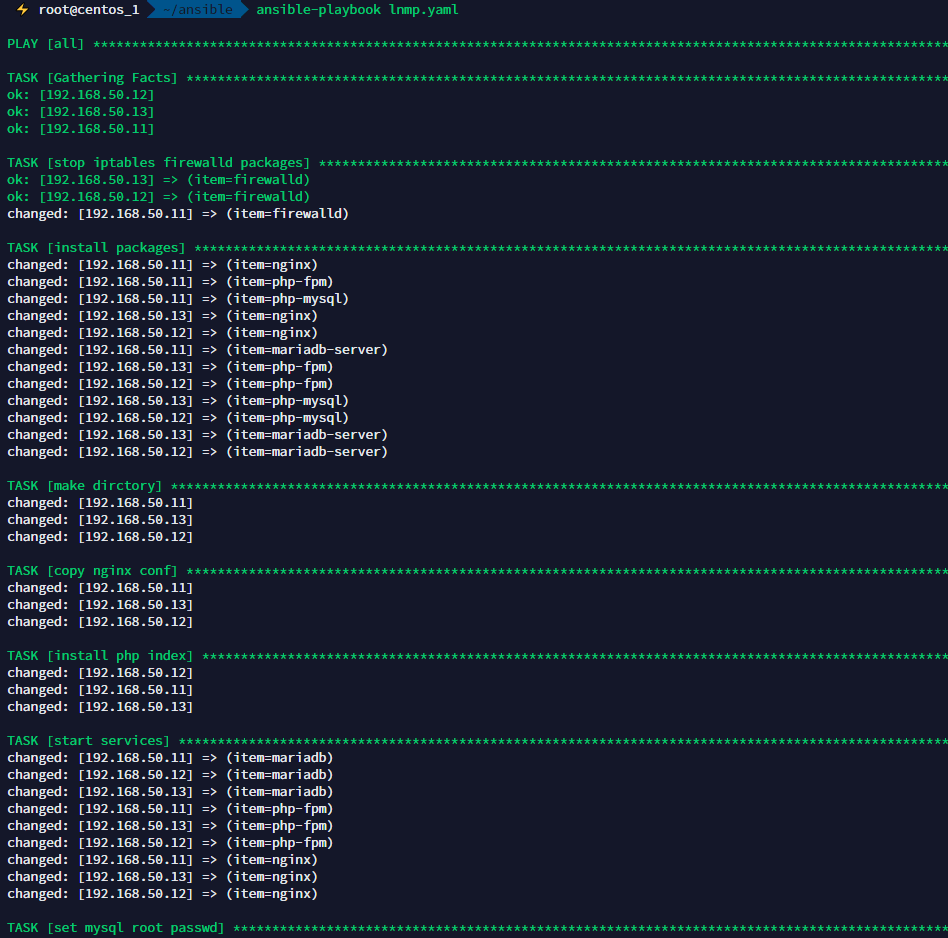
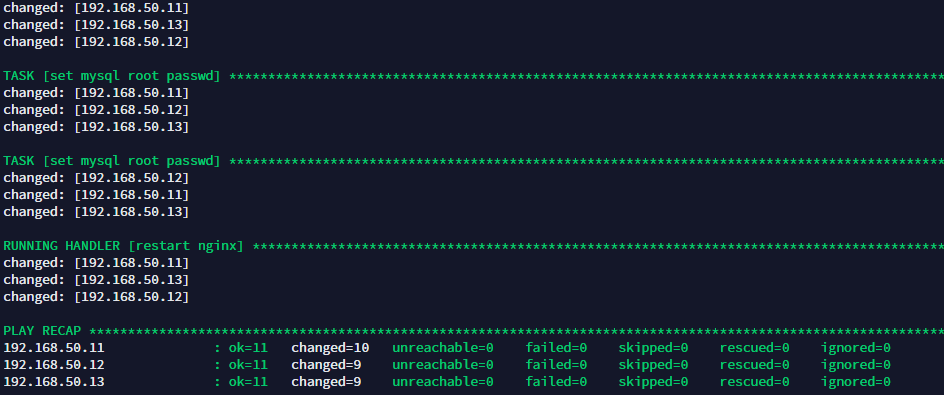
接下来执行命令,“一键” 安装 lnmp 环境。
四、验证是否安装成功
运行完成后,打开本地浏览器,分别输入 ip 地址, 验证 php 和 mysql 连通情况


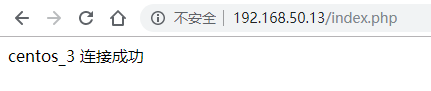
至此,通过 Ansible Playbook 部署 LNMP 大功告成!!!完结撒花 \(^o^)/~